
Скачать SnapGene – бесплатное программное обеспечение для молекулярной биологии, инструмент для клонирования, редактор последовательностей
Обзор SnapGene: Полное решение для молекулярной биологии
SnapGene — это надёжное кроссплатформенное научное приложение, ставшее незаменимым в лабораториях по всему миру. Разработанное специально для молекулярных биологов, программное обеспечение объединяет визуализацию последовательностей, проектирование клонирования и документирование рабочего процесса в едином интуитивном интерфейсе. Независимо от того, планируете ли вы простой ПЦР‑эксперимент или многошаговый проект по рекомбинации ДНК, SnapGene предлагает визуальное полотно, которое преобразует сложную нуклеотидную информацию в понятные редактируемые карты. Такой визуальный подход снижает вероятность ошибок, часто возникающих при ручных расчётах или текстовых аннотациях. Программа автоматически фиксирует каждое изменение, создавая подробную историю, которую можно экспортировать для публикаций или поделиться с коллегами, обеспечивая воспроизводимость и прозрачность. SnapGene поддерживает широкий спектр стратегий клонирования — включая традиционное клонирование рестрикционных ферментов, рекомбинацию Gateway®, сборку Gibson и TA‑клонирование — позволяя исследователям выбрать метод, наиболее соответствующий их экспериментальным целям. Помимо клонирования, инструмент предоставляет возможности симуляции рестрикционных расщеплений, ПЦР и лигирования, позволяя предсказывать результаты до начала работы с реактивами. Эта предсказательная мощность экономит время, уменьшает количество отходов и ускоряет процесс принятия решений в лаборатории. Пользовательски‑дружелюбный дизайн, в сочетании с мощными алгоритмами, делает SnapGene незаменимым помощником для аспирантов, постдоков и старших учёных. Его бесшовная интеграция с другими биоинформатическими ресурсами, такими как GenBank и базы данных NCBI, дополнительно упрощает рабочий процесс, превращая сырые данные последовательностей в практические экспериментальные планы за считанные минуты.
Ключевые особенности, которые выделяют SnapGene
- Visual Sequence Editor: Интерфейс drag‑and‑drop для создания и редактирования плазмид, праймеров и фрагментов с мгновенной визуальной обратной связью.
- Cloning Strategy Library: Предустановленные шаблоны для рестрикционного, Gateway, Gibson, In‑Fusion и TA‑клонирования, каждый с пошаговым руководством.
- Simulation Engine: Прогностические модели для рестрикционных расщеплений, ПЦР‑амплификации и реакций лигирования, с выводом изображений геля.
- Automatic Documentation: Запись в реальном времени каждого изменения, генерирующая полную аудиторскую трассу, которую можно экспортировать в PDF или файл SnapGene для совместного использования.
- Database Connectivity: Прямой импорт из NCBI, Ensembl и пользовательских локальных баз данных, обеспечивая актуальную информацию о последовательностях.
- Collaboration Tools: Облачные варианты совместного доступа, контроль версий и ветки комментариев, способствующие работе в команде между институтами.
- Annotation Management: Встроенные инструменты для добавления функций, заметок и цветовых тегов к последовательностям, улучшая читаемость и организацию проекта.
- Export Flexibility: Экспорт карт в PNG, PDF или SVG; генерация файлов GenBank, FASTA и SBOL для последующего анализа.
- Security & Compliance: Шифрование локального хранилища и опциональная защита паролем соответствуют политикам безопасности данных учреждений.
- Regular Updates: Бесплатные ежегодные обновления, включающие новые методы клонирования, исправления ошибок и улучшения производительности.
Installation, Usage, and System Compatibility
Installing SnapGene is straightforward, and the process is designed to accommodate both novice users and seasoned bioinformaticians. After navigating to the official SnapGene website, click the Download button that corresponds to your operating system. The installer is available for macOS (10.13 and later), Windows 10/11 (64‑bit), and Linux distributions (Debian/Ubuntu .deb package).
For macOS users, the application arrives as a .dmg file; double‑click to mount the disk image, then drag the SnapGene icon into the Applications folder. Windows users run the .exe installer, accept the license agreement, and choose a destination folder. Linux users can install via the terminal using sudo dpkg -i snapgene.deb followed by sudo apt-get install -f to resolve dependencies.
Once installed, launch SnapGene and register with an institutional email to unlock the free trial or enter a license key for the full version.
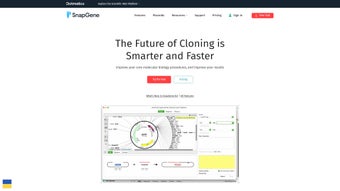
Upon first launch, a welcome wizard guides you through initial configuration: selecting default file locations, setting up cloud sync preferences, and importing any existing plasmid libraries. The main workspace is divided into three panels: the Map View for visual editing, the Sequence View for nucleotide-level details, and the Details Panel for feature annotations. To begin a new cloning project, click File → New → Plasmid, then either draw the backbone manually or import an existing GenBank file. The toolbar offers quick access to restriction enzyme cutters, primer design, and simulation tools. Running a simulation is as simple as selecting the relevant fragments and clicking the Simulate button; results appear as virtual gel images, which can be saved for lab notebooks.
SnapGene is fully compatible with macOS, Windows, and major Linux distributions, ensuring that research teams with mixed‑platform environments can collaborate without compatibility barriers. The software also supports 64‑bit architectures, leveraging modern hardware for faster processing of large genomes and complex assemblies. Minimum system requirements include 4 GB RAM (8 GB recommended), 500 MB of free disk space, and a graphics card capable of OpenGL 2.0 or higher for smooth rendering of plasmid maps. Frequent automatic updates keep the application secure and aligned with the latest cloning protocols, making SnapGene a reliable, long‑term investment for any molecular biology laboratory.
Pros, Cons, and Frequently Asked Questions
Pros
- Intuitive visual interface that reduces learning curve for new users.
- Comprehensive cloning library covering traditional and modern techniques.
- Real‑time documentation ensures reproducibility and easy sharing.
- Cross‑platform support (macOS, Windows, Linux) promotes collaboration.
- Free trial and academic pricing make it accessible for research budgets.
- Regular, free updates keep the software current with emerging methods.
Cons
- Full license required for unlimited project storage; free version limits the number of saved maps.
- Advanced features such as batch processing require a steep learning curve.
- Linux installation may need additional dependency resolution for some distributions.
- Cloud sync is optional and may incur additional institutional IT approval.
Frequently Asked Questions
Is SnapGene free for academic use?
SnapGene offers a free 30‑day trial for all users. Academic institutions can purchase discounted licenses, and many universities provide site licenses that grant unlimited access to students and staff at no additional cost.
Can I import my existing plasmid maps from other software?
Yes. SnapGene supports import of GenBank, FASTA, and SBOL files, allowing seamless migration from tools such as ApE, Vector NTI, or Geneious.
How does SnapGene ensure data security for sensitive projects?
All local files are encrypted, and optional password protection can be applied to individual projects. When using cloud sync, data is transferred via TLS 1.2 encryption, complying with most institutional security policies.
Does SnapGene work with CRISPR design tools?
SnapGene includes a CRISPR guide RNA design module that can locate PAM sites, suggest off‑target scores, and integrate the guides directly into cloning maps for downstream applications.
What kind of technical support is available?
Licensed users receive email support, access to a comprehensive knowledge base, and regular webinars. The community forum is also active, offering peer‑to‑peer assistance for both basic and advanced queries.
Conclusion and Call to Action
SnapGene has earned its reputation as a cornerstone tool for modern molecular biology laboratories. Its blend of visual simplicity, powerful simulation engines, and meticulous record‑keeping addresses the most common pain points faced by researchers: error‑prone manual calculations, fragmented data storage, and limited collaboration across platforms. While the full‑feature license carries a cost, the productivity gains—measured in saved reagents, reduced experimental repeats, and faster project turnaround—often outweigh the investment, especially for institutions with high cloning throughput. For students and early‑career scientists, the free trial and academic discounts provide an excellent entry point to explore the software’s capabilities without financial pressure. Whether you are designing a single‑gene knockout or orchestrating a multi‑gene pathway assembly, SnapGene equips you with the confidence that every step is documented, reproducible, and ready for peer review.
Ready to streamline your cloning workflows and improve data integrity? Download SnapGene now and experience the visual power that thousands of labs worldwide trust for their molecular biology projects.







